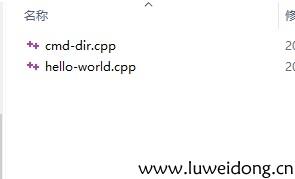
2个cpp文件,hello-world.cpp和cmd-dir.cpp
hello-world.cpp:
#include <cstdlib>
#include <iostream>
#include <string>

std::string say_hello()
{
	return std::string("hello word!");
}
int main(int argc,char** argv)
{
	std::cout<<say_hello()<<std::endl;
	return EXIT_SUCCESS;
}
cmd-dir.cpp:
#include <cstdlib>
#include <iostream>
#include <string>

int main(int argc,char** argv)
{
std::cout<<"this is cmd_dir"<<std::endl;
return EXIT_SUCCESS;
}
CmakeList.txt:
cmake_minimum_required(VERSION 3.5 FATAL_ERROR)//指定cmake最低版本3.5

project(hello-world-01 LANGUAGES CXX)//指定项目名称hello-world-01  使用语言是C++

SET(CMAKE_CXX_COMPILER /usr/bin/g++)//指定使用g++作为编译器,否则在MSYS2中会出现std:cout未定义

SET(demo_dir ${PROJECT_SOURCE_DIR}/demo)//定义demo_dir指向demo子文件夹
file(GLOB demo_codes ${demo_dir}/*.cpp)//定义demo_codes执行demo子文件中的所有.cpp源文件

foreach(demo ${demo_codes})//遍历.cpp源文件
     string(REGEX MATCH "[^/]+$" demo_file ${demo})//通过正则表达式获取文件名并保存到demo_file
     string(REPLACE ".cpp" "" demo_basename ${demo_file})//去除.cpp后缀名并保存到demo_basename
     add_executable(${demo_basename} ${demo})//将每一个源文件生成为单独一个可执行的程序
endforeach()
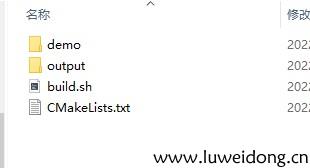
目录架构如下:
--
|HelloWordTest
-------------------|demo
---------------------------|cmd-dir.cpp
---------------------------|hello-world.cpp
-------------------|output
-------------------|CMakeLists.txt
cd进入output文件夹,依次执行命令
cmake..//在当前目录的上层目录中查找CMakeLists.txt,并在当前目录中构建工程
make