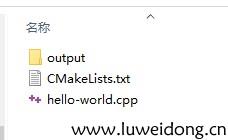
hello-world.cpp:
#include <cstdlib>
#include <iostream>
#include <string>

std::string say_hello()
{
	return std::string("hello word!");
}
int main(int argc,char** argv)
{
	std::cout<<say_hello()<<std::endl;
	return EXIT_SUCCESS;
}
CMakeLists.txt:
cmake_minimum_required(VERSION 3.5 FATAL_ERROR)//指定CMake最低版本3.5

project(hello-world-01 LANGUAGES CXX)//指定项目名称hello-world-01  使用语言是C++

SET(CMAKE_CXX_COMPILER /usr/bin/g++)//指定C++是编辑器原因查看 add_executable(hello-world hello-world.cpp)//将源文件hello-world.cpp生成名为hello-world的可执行程序
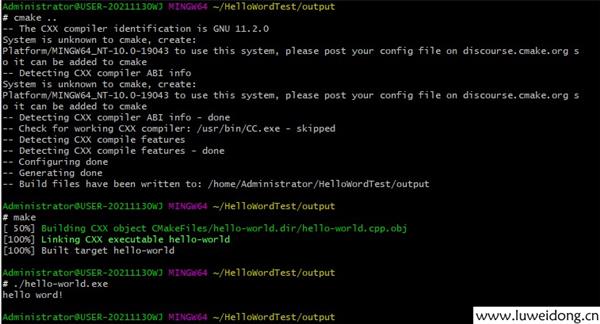
cd进入output文件夹,依次执行命令
cmake..//在当前目录的上层目录中查找CMakeLists.txt,并在当前目录中构建工程
make
./hello-world //执行程序
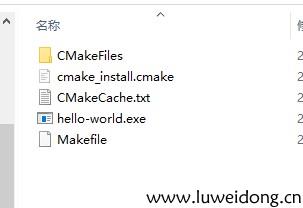
output目录如下: