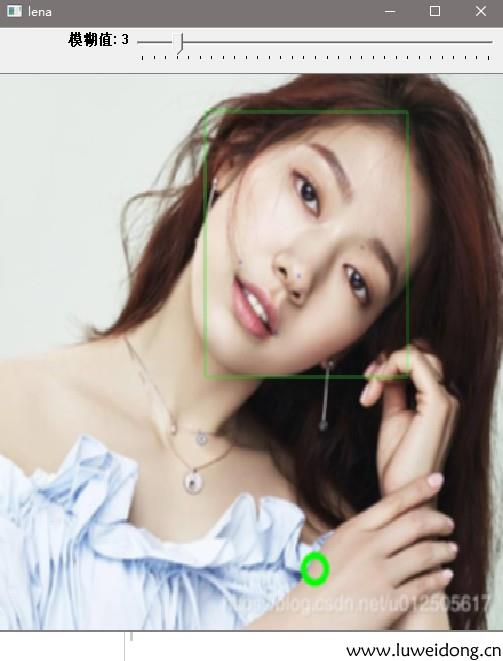
//模糊滤镜图片、在图像上绘制圆点
#include <opencv2/core.hpp>
#include <opencv2/highgui.hpp>
#include <opencv2/imgproc.hpp>

int blurAmount = 15;//保存滑块位置
static void onChange(int pos, void* userInput);//滑块回调函数
static void onMouse(int event, int x, int y, int, void* userInput);//鼠标左键点击回调函数

using namespace cv;

//滑块回调函数
//pos:用于模糊内核的大小,用于内核和图像之间卷积平均值的小矩阵
//userData:自定义用户数据
static void onChange(int pos,void * userData)
{
	if (pos <= 0) return;
	Mat imgBlur;//空矩阵
	Mat* img = (Mat*)userData;//转换回图像
	blur(*img, imgBlur, Size(pos, pos));//模块滤镜
	imshow("lena", imgBlur);
}
//鼠标左键点击回调函数
//event:事件类型
//x,y:鼠标位置
// int :定义滚轮动作
//userInput:自定义用户数据
static void onMouse(int event, int x, int y, int, void* userInput)
{
	//EVENT_MOUSEMOVE当移动鼠标
	//EVENT_LBUTTONDOWN当单击左键
	//EVENT_RBUTTONDOWN当单击右键
	//EVENT_MBUTTONDOWN当单击中键
	//EVENT_LBUTTONUP当释放左键
	//EVENT_RBUTTONUP当释放右键
	//EVENT_MBUTTONUP当释放中键
	//EVENT_LBUTTONDBLCLK当双击左键
	//EVENT_RBUTTONDBLCLK当双击中键
	//EVENT_MBUTTONDBLCLK当双击右键
	//EVENTMOUSEWHEEL当用滚轮垂直滚动
	//EVENT_MOUSEHWHEEL当用滚轮水平滚动
	if (event != EVENT_LBUTTONDOWN) return;

	Mat* img = (Mat*)userInput;//转换回图像
	circle(*img, Point(x, y), 10, Scalar(0, 255, 0), 3);//画一个圆
	onChange(blurAmount, img);//刷新图像
}

int main()
{
	Mat lena = imread("K:\\test.png");
	namedWindow("lena", WINDOW_NORMAL);

	//滑块名称  窗口名称  默认数值  滑块位置最大值 回调函数 要发送的数据
	createTrackbar("模糊值", "lena", &blurAmount, 30, onChange, &lena);//创建1个滑块

	//窗口名称 回调函数 要发送的数据
	setMouseCallback("lena", onMouse, &lena);
	onChange(blurAmount, &lena);//根据滑块位置初始化图像

	waitKey(0);

	destroyWindow("lean");
	return 0;
}