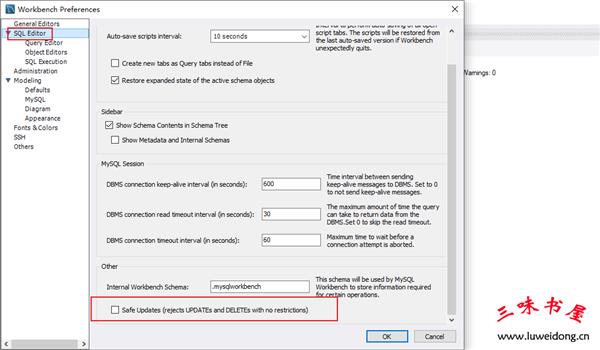
今天在MySQL Workbench中执行一句更新语句时,提示失败:
执行的SQL是:
update basedb.parameters set datasource=-1 where datasource=0

11:20:44 update basedb.parameters set datasource=-1 where datasource=0 Error Code: 1175. You are using safe update mode and you tried to update a table without a WHERE that uses a KEY column. To disable safe mode, toggle the option in Preferences -> SQL Editor and reconnect. 0.000 sec
datasource并不是主键ID,我希望更新多个数据。
由于mysql有所谓的安全模式,执行更新时不指定ID限定范围,会提示错误

解决方法:
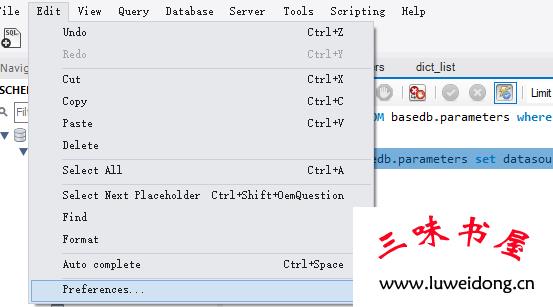
打开edit->Preferences,取消
取下勾选safe updates,保存后重新连接